If your VPS is down/offline, you can start it using SolusVM.
1. Log in to your SolusVM Control Panel.
2. If you have multiple VPSs, select the appropriate one.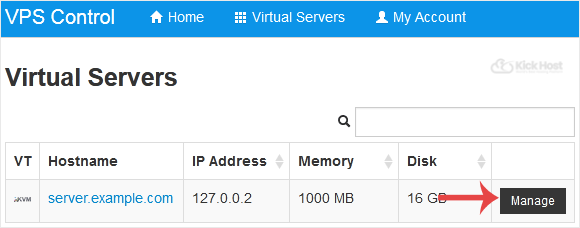
3. Click on Boot.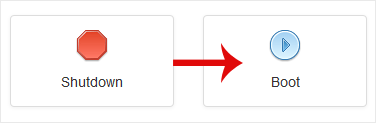
4. Click Yes to confirm.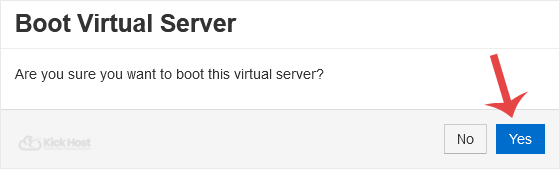
It may take some time for the VPS to start.
- Home
-
Store
- Browse All
- Standard Hosting
- Advanced Hosting
- WordPress Hosting
- Joomla Hosting
- WooCommerce Hosting
- PrestaShop Hosting
- Magento Hosting
- School Hosting
- Core VPS
- Student Hosting
- Max Performance VPS
- Reseller Hosting
- Business Email Hosting
- Microsoft 365
- Google Workspace
- SSL Certificates
- Performance VPS
- Dedicated Servers
- DNS Management
- CloudFlare DNS
- Website Backup
- Website Security
- E-mail Services
- Register a New Domain
- Transfer Domains to Us
- Announcements
- Knowledgebase
- Network Status
- Affiliates
- Contact Us
-
More